Airports and Airplanes: Leveraging the Flight Simulation Field
Before re-inventing ways of modelling airports and airplanes, it is very
important to first look at how they have been done in the field of consumer
Flight Simulation. Much of the early work in virtual terrain was done
in Flight Sims, and there continues to be a large and active hobbyist community
working on creating amazingly detailed models. There must be some
way to leverage all that work, outside the context of specific flight sim software.
Microsoft® Flight Simulator™ (MSFS)
- The majority of hobbyists are using MSFS, of which the latest version is
Flight Simulator™
X (FS X).
- MSFS has used a large number of its own file
formats over the years (old list... needs updating.)
- Do any software libraries exist for reading the MSFS model format(s)?
it appears the answer is no.
- Ideally, there should be a way to convert to an open format or directly
import the models into a VTP application.
- FS2000/2002 BGL format
- BGL is actually more of a "language" than a format, since it includes
conditional statements and jumps
- Microsoft's site Flight Simulator 2004 SDK (no longer online as of 2007)
isn't actually an "SDK" in the sense of a library, just a collection of
documents which discuss the MSFS technology, including BGL. It does
contains documentation for the raw formats of data that it can import,
such as RAW/INF for elevation, but not the BGL that is produced upon importing
- older: FS95/98 MDL format
- some hobby programmers put together rough documentation for older MDL
files in
html or
msword,
and some source
code
- it seems that format is no longer used by FS2000 and newer
- Historically, MSFS used only geotypical textures, with no support for geospecific
imagery. This changed sometime around 2004, with their support for "photorealistic
scenery" (geospecific textures.) There are commercial sites like
MegaScenery and
Horizon Simulation
which sell imagery in MSFS's formats.
- Explanation by Scott Armstrong: "A
basic outline of how it works: The terrain texturing system in FS is based
on the terrain LOD system. The terrain textures are 256 by 256 pixel
bitmaps that are compressed a little bit longitudinally so they actually
cover a rectangular area in the sim. In short, as textures they are
square, but in the sim they cover a wider longitudinal area than latitudinal
area. Each of these terrain textures covers one part of the earth
(specifically .010986328 degrees latitude by .014648438 degrees longitude),
and each one of these areas is called an LOD13 area (because it is at the
13th layer of detail.) So, photoreal scenery is made up of a whole
bunch of these 256 by 256 pixel images in DXT1 format, all told where to
go by a BGL scenery file that is compiled by the resample.exe program (provided
by the Microsoft FS Terrain SDK) from an .INF file created by the scenery
designer."
- With Flight Simulator X, there was some hope for a tiny bit more openness
or interoperability than the traditional opaque, dead-end one-way content creation
path of previous MSFS versions. Is it more open?
X-Plane
- Claims to be "the world's most comprehensive, powerful flight simulator,
with the most realistic flight model available for personal computers"
- Cross-platform (Windows, Linux, Mac), $50, has a large following of enthusiastic
hobbyists.
- X-Plane community site has news and
tons of resources.
- There is a public
SDK, and a page on 'hacking'
X-Plane says there are easy ways to customize the 2D artwork and simulation
variables, but i did not find much documentation on how to create scenery or
aircraft. The file format for the planes appears to be something called
".ACF", and ".OBJ" for buildings, which is not regular (Wavefront) .obj.
In the latest version 8, they have switched to another format called ".DSF",
which (as of late 2006) apparently has no tools for it yet. On sites such
as xplanefreeware distributing
airplane models, the file format is .ACF, even for models "built with 8.5".
- X-Plane Scenery Tools
has useful materials, including Blender scripts for reading/writing the X-Plane
formats. This is great - perhaps the easiest way to get hundreds of excellent
plane models into the VTP/OSG software: .ACF -> XPlane2Blender -> Blender
-> osgexport ->
.OSG -> VTP
- their Global Scenery product
is built on SRTM, it ships on 7 DVDs (60 GB installed data)
Older Flight Sims
- Silent Wings
- a very impressive "hobby project" by Norwegian research scientist
Thomas E. Sevaldrud
- runs on Linux and Win32, built on Mesa/Glut/PLIB
- uses hierarchical LOD for the terrain and ground/air physics simulation
- dynamic fractal-based 2D cloud layers, beautiful aerial orthophotos
of Norway
- Fly! and Fly! II (2001)
- though a small niche compared to MSFS, it had a reputation for openness
- very forthcoming with file formats etc, enabling users to write programs
to manipulate all sorts of data used to generate better scenery for the
simulator
- TerraScene, Java app by Todd Klaus and
how in the world?,
was a popular add-on tool which enabled generating scenery for Fly!
- TerraModels by Allen Kriesman creates buildings, trees, fences etc.
for populating runways.
- Fly! II, made great claims to dynamic scenery functionality:
- "A built-in, user friendly scenery editor.
Anytime during flight the user can press a key to enter the editor - the
simulation is paused, and the user is given a palette of tools to manipulate
the scenery. A simple mouse click will let them add buildings, trees, fences,
poles, power lines, bridges, towers, hangars, terminals, flags, trucks,
etc. They can use their mouse to drag and drop these items anywhere they
want. Once they are satisfied, they simply hit a key to exit the editor
and return to their flight, and their new scenery is immediately available."
Free Airplane Models
Atif Zafar contributed the following list of sites worth looking into, in 2002,
which i have annotated with additional information.
- Abacus Software
- a company providing some consumer-oriented programs for designing MSFS-compatible
planes and airports (FS Design Studio, Airport and Scenery Designer, etc.)
- 3D Studio GMAX (2000-2005) from Discreet
- a scenery building tool for games, worked with MSFS scenery generation,
free
- Microsoft endorsed it as the product to use for creating scenery for
flight simulator
- had its own file format (.gmax), free version did not read .max
- "Low-cost" software for scenery building:
- Free tools:
- Microsoft's Flight Simulator SDK contains some actual software tools,
although they are of course very closed and convert one direction only:
to MSFS's undocumented formats
- SCASM: Freely available scenery compiler
- Many scenery editors use this format and compiler to generate scenery
files, though the author warns "It is not easy to create working scenery
files using only SCASM."
- Silent Wings has written
Converter software to import "Flight Shop" aircraft visual models into their
own software
- "Flight Shop" is an ancient program, long discontinued, by a company
"BAO" which was absorbed into Microsoft
- Book:
The Ultimate Flight Simulator Pilot's Guidebook, 2nd Edition
- contains a nice section on scenery design and comes with a CD with free
scenery design tools
- Many popular sites cater to the Flight-Sim community:
Abacus and other companies were then aggressively promoting a new format called
"Dynamic Object
Libraries", with tools such
FS Action Scenery to
convert older models.
Airports and Runways
Curtis Olson of the Flight Gear
/ TerraGear project is working
on code to generate runways with proper markings based on a world wide database
(roughly 20,000 runways)
- Curt says: "I have a tool I've written to create generic airports from a
large, worldwide runway database. These airports lack things like towers, terminals,
hangers, windsocks, etc. but the runways have correct size, position, orientation,
correct marking, and correct surface type."
-
 The
database is maintained by Robin Peel primarily for use in the X-Plane simulator,
but he outputs a special (extended) format for flight gear use.
The
database is maintained by Robin Peel primarily for use in the X-Plane simulator,
but he outputs a special (extended) format for flight gear use.
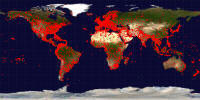
- As of 2008, the OpenFlights project
hosts some Airport and airline data
which includes a coordinate and code for every airfield in the world.
Serious Flight Data
- For those people able to understand intense usage of aeronautic acronyms,
NIMA Digital Aeronautical Flight Information File (DAFIF) was once useful.
But, as of 2006, it is gone.